
Bring your couch-tv home in from your computer
Updated .
For a TV older than couch-tv 0.13: open couch-tv Studio on the computer that set it up, press Open my config.json and pick config.json in your couch-tv folder.
Step by step
On the computer that set up couch-tv, find your couch-tv folder (the one you downloaded from GitHub). Your settings are in config.json in that folder.
Open couch-tv Studio on that computer and press Open my config.json under Already use couch-tv from GitHub? (or Open a file at the bottom).
Pick config.json. Never pick .env: it only holds keys and tokens, and Studio never needs it.
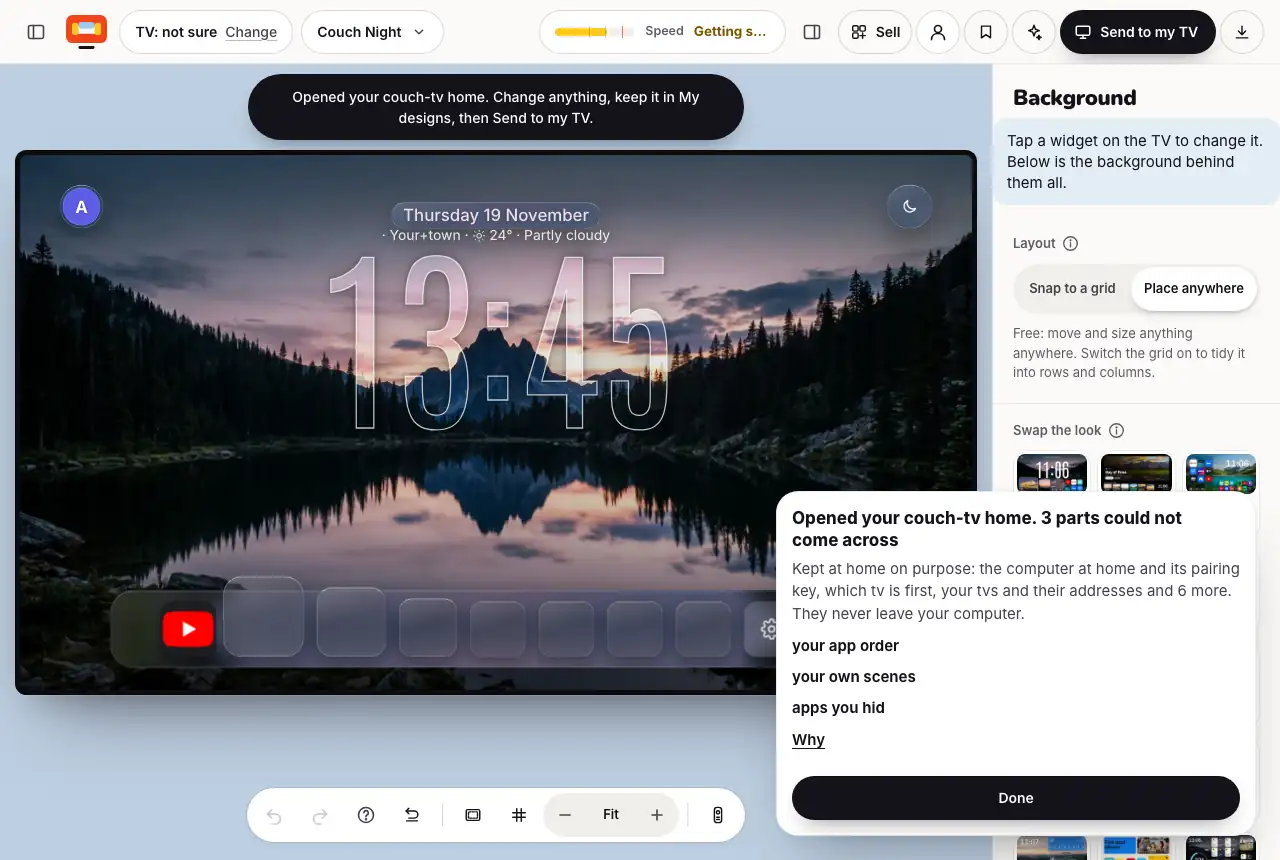
Your home opens: the scenes, clock, glass and dock. A card lists what stayed on your computer on purpose, like your people, weather place and TVs.
Want your apps in your order too? Put config.json and bridge/data/app-order.<your TV>.json in one zip and open the zip instead.
Change anything, press My designs to keep it, then Send to my TV.
Good to know
- Nothing in config.json is kept by Studio. Your people, weather place, TV addresses, the computer at home, Home Assistant, Plex and bookings sections are left out before anything is shown.
- Settings you changed on the TV itself (Home settings) are not in config.json. For those, bring it in from the TV once the TV runs couch-tv 0.13 or newer.
Still stuck? Ask the helper, or copy a ready question for your own AI.
Related
- Bring your couch-tv home into StudioAlready use couch-tv from GitHub? On the TV, Home settings, couch-tv Studio, Open this home in couch-tv Studio. Type the code it shows, and your home opens here, ready to change.
- Save, download or open a designIt stays in this browser by itself. Save a copy (file) keeps a file. My designs keeps it in your account.
- Send a design to your TV with a codePress Send, then Make my code. On the TV: Home settings, couch-tv Studio, Get a design, and type it.